
nice88 asia login searches often lead to unofficial, copycat, or phishing pages, so anyone looking for access should know how to verify a login page before entering any details. This guide explains how to check a site’s legitimacy, recognize common scam tactics, confirm whether online gambling is permitted where you live, and protect your personal information. Each section gives practical steps you can apply before you sign in anywhere online.
nice88 asia login: What Users Should Know Before Signing In
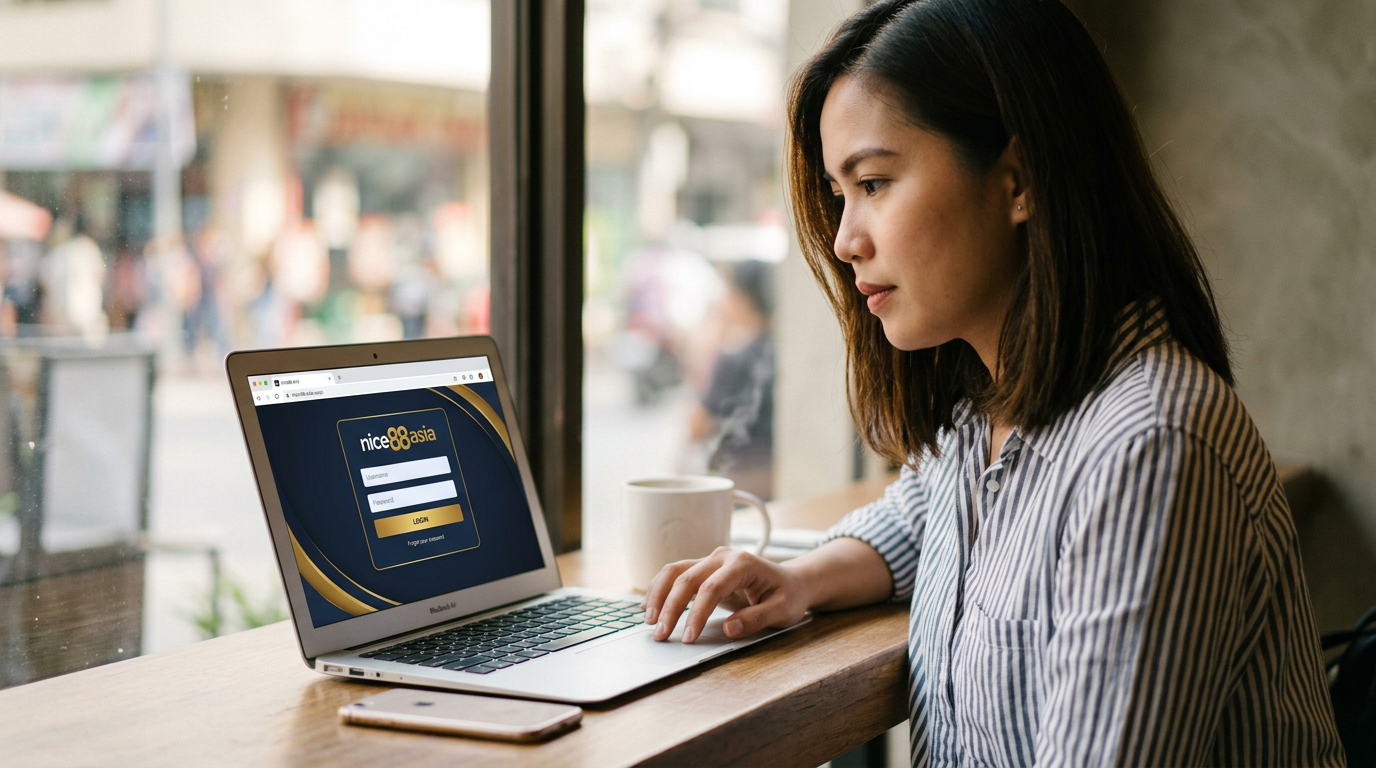
What the Asia Login Search Term Means for Users
When people search for nice88 asia login, they usually want one thing: a direct route into their account. Some are returning users who lost their bookmark. Others are new visitors looking for the official entry point. Search results do not always show the genuine site first, however.
As a result, this phrase carries both intent and risk. Users expect a familiar sign-in form, so scammers build pages that imitate it.
Why Asia Login Searches Attract Clone Sites
Login-related searches signal high intent. A person searching for access is ready to type a username, password, and sometimes payment details. That readiness makes these searches attractive to criminals.
Common tactics include:
- Lookalike addresses that swap letters, add extra words, or change the domain ending
- Paid ads that copy the brand’s logo and colors
- Fake “mirror” pages promising faster or unblocked access
- Unsolicited messages asking you to “re-verify” your account
For example, a clone page may collect your credentials, then redirect you to the real site. You see nothing unusual, but your details are already compromised.
Reading About a Platform Versus Accessing an Asia Login Account
Reading an informational guide carries little risk. Creating or logging into an account is different. It requires trust, personal data, and possibly financial information.
Therefore, handle each step with care:
- Research freely. Compare reviews and guides from several independent sources.
- Type addresses yourself. Avoid clicking search ads or links in emails and chats.
- Pause before registering. Never create an account from a link sent by a stranger.
In addition, remember that gambling and betting rules vary by country. Confirm that any platform you use is permitted where you live, and check age requirements before signing up.
How to Verify an Official Asia Login Page
Before you enter any credentials, confirm that the page is genuine. Scammers copy popular betting and gaming platforms closely. A few quick checks can stop most fake pages before they capture your password.
Check the Domain Name Letter by Letter
The domain name is the most reliable clue. Read the full address in the address bar, not just the logo or page design.
Watch for these warning signs:
- Misspellings: Swapped letters or numbers, such as a “1” replacing the letter “i.”
- Extra words: Added terms like “login,” “secure,” or “verify” attached with hyphens.
- Unusual extensions: Endings that do not match the official site, or random-looking domains.
- Subdomain tricks: Addresses that start with a familiar name but end with a different domain.
For example, a link might begin with “nice88” but end with an unrelated domain. Therefore, always look at the part of the address directly before the first single slash.
Tip: Once you confirm the official page, save it as a bookmark. Use that bookmark for future visits.
Confirm HTTPS and the Security Certificate
A padlock icon shows that the connection is encrypted. However, it does not prove that a site is trustworthy. Scam sites can obtain certificates too.
To review the certificate:
- Click the padlock icon beside the address bar.
- Open the certificate or connection details.
- Check that the certificate was issued to the exact domain you see.
- Confirm that the expiration date has not passed.
As a result, a valid padlock on a misspelled domain still signals a fake page. In addition, never enter passwords on a page that shows a security warning or lacks HTTPS entirely.
Avoid Asia Login Links From Unsolicited Sources
Legitimate platforms rarely send login links through unexpected emails, text messages, or social media ads. Treat any unsolicited link as suspicious, even if it looks authentic.
Common red flags include:
- Messages claiming your account is locked or a reward is waiting.
- Urgent deadlines that pressure you to act quickly.
- Requests to re-enter your password or confirm payment details.
- Pop-up ads or sponsored results that appear on unrelated websites.
For example, an email warning that your account will close within 24 hours is almost certainly a phishing attempt. Moreover, legitimate businesses do not usually demand credentials through a message.
Best practice: Type the address manually or open your saved bookmark. Moreover, search for the official site through a trusted source rather than clicking an advertisement.
Common Phishing and Clone Site Tactics
Scammers often copy legitimate login pages almost perfectly. Learning their common tactics can help you avoid losing money or personal data. Here are the warning signs to watch for.
Fake Asia Login Forms That Ask for Too Much
A genuine login form asks only for a username and password. Be cautious when a page requests:
- Full bank card numbers or CVV codes
- National ID or passport numbers
- Online banking usernames or passwords
- Security answers, such as your mother’s maiden name
For example, a page that asks for your card number “to verify your account” is a major red flag. Legitimate platforms do not need banking details just to sign in. If a form asks for unnecessary data, leave the page.
Urgent Messages and Bonus Pressure
Phishers rely on speed. They want you to act before you think. Common examples include:
- “Your account will be suspended in 24 hours unless you confirm now.”
- “Claim your exclusive bonus before midnight.”
- “Last chance: verify today to keep your winnings.”
As a result, many users click links without checking them. In addition, these messages often copy logos and formatting from real brands. Urgency is one of the clearest signs of a scam. Pause before you act.
Requests for One-Time Passwords and Verification Codes
A one-time password (OTP) proves that you own the account. Never share it with anyone. Scammers often pose as support staff and say, “Read us the code we just sent so we can secure your account.” This is an account takeover attempt. Legitimate support teams never ask for OTPs.
Follow these rules to stay safe:
- Ignore unsolicited calls or messages asking for codes.
- Never forward SMS or app-based verification codes.
- Hang up and contact the platform through its official website number.
Clone Sites and Lookalike Asia Login Domains
Clone sites use web addresses that differ slightly from the real one. A fake address might add an extra word, swap a letter, or use a different domain extension. For example, a fake nice88 asia login page may look identical but use a misspelled address. However, small differences are easy to miss on a phone screen.
Therefore, always check the full address before entering credentials. Bookmark the official page instead of relying on search ads or links in messages.
Quick Self-Check Before Signing In
Ask yourself these questions before entering any details:
- Does the URL exactly match the official address?
- Does the page request information a login never needs?
- Did the request arrive unexpectedly with a deadline?
- Would you feel comfortable if the message were shared publicly?
If you answered yes to any question, stop. Verify the request through official channels instead.
Checking nice88 asia login Legality by Region

Why Gambling Laws Vary by Location
Online gambling rules depend on where you live. Countries set their own policies, and some license online operators while others ban them outright. Within a single country, states or provinces may also apply different rules.
For example, one province may allow certain betting activities while restricting online casino games. Many Asian countries restrict online casino play for residents. In some places, penalties can apply to players as well as operators.
Therefore, check your local law before you register anywhere. Laws change, so rely on current official sources rather than old forum posts.
Confirming Asia Login Licenses Through Official Registers
A license only matters if the issuing regulator is real and the license is active. Follow these steps:
- Find the license number in the site footer or terms page.
- Visit the regulator’s website directly. Do not use a link supplied by the gambling site.
- Search the public register for the exact company name.
- Confirm the license is active and covers online gambling.
- Make sure the listed domain matches the address in your browser.
Note: A logo or “licensed” badge is not proof. Scam sites often copy regulator seals, so always verify through the official register.
Age and Eligibility Rules to Check First
Most jurisdictions set a minimum age, commonly 18 or 21. Eligibility rules may also cover residency, restricted regions, and self-exclusion lists. Read these rules before creating any account.
Quick eligibility checklist:
- The minimum legal age where you live
- Whether online gambling is permitted in your country or region
- Whether the operator accepts players from your location
- Whether you appear on a self-exclusion or responsible gambling list
Legitimate operators state these requirements clearly. As a result, a site that hides its eligibility terms deserves extra caution. In addition, if you find conflicting information, pause and seek advice from a local legal or consumer authority.
Protecting Your Account and Personal Data
Protecting your account starts with habits you control. Even a trustworthy platform can be undermined by weak security on your end. Strong passwords, extra verification, and careful sharing reduce the risk of theft.
Create Unique, Strong Passwords
Reusing a password is one of the fastest ways to lose access. If one site leaks your details, attackers try the same combination everywhere.
Build passwords that are:
- At least 12 characters long
- Unique to each website and app
- Mixed with uppercase letters, lowercase letters, numbers, and symbols
- Free of personal details such as birthdays or pet names
For example, “Tiger!Maple72” is far safer than “tiger123.” Hard-to-remember passwords are manageable with a password manager. This tool generates random passwords and stores them in an encrypted vault. As a result, you only need to remember one strong master password.
Turn On Two-Factor Authentication
Two-factor authentication (2FA) adds a second layer of protection. Even if someone learns your password, they still need a code from your device.
Set it up in a few steps:
- Open the security or settings page of your account.
- Select the two-factor option and choose an authenticator app.
- Scan the code with the app and enter the six-digit code to confirm.
- Save the backup codes in a secure, offline location.
Avoid relying on SMS codes when possible. Phone numbers can be hijacked through SIM-swap fraud. Therefore, authenticator apps are generally the more secure choice.
Limit the Personal Information You Share
Scammers often collect small details to build convincing fake messages. In addition, oversharing online makes it easier for them to guess security answers.
Practical habits include:
- Never share your password, PIN, or one-time codes with anyone, including people claiming to be support staff.
- Avoid posting birthdates, home addresses, or travel plans on public social media.
- Use a separate email address for accounts you rarely use.
- Confirm the site uses HTTPS before entering any data.
Legitimate support teams will never ask for your password. Consequently, any such request should be treated as a scam.
Review Account Activity Regularly
Regular reviews help you catch problems early. For example, a login from an unfamiliar city or device may signal unauthorized access.
Make a habit of:
- Checking login history and active sessions every month
- Logging out of devices you no longer use
- Reviewing transaction records and notification emails
- Updating your recovery email and phone number when they change
If you spot suspicious activity, change your password immediately. Moreover, enable login alerts so you receive instant notifications of new sign-ins.
What to Do If You Entered Details on a Suspicious Asia Login Page
Change Passwords Immediately
If you entered your login details on a suspicious page, act right away. Quick action limits the damage, because attackers often try stolen credentials within minutes.
Start by changing the password on the affected account. Use a device you trust, and create a strong password you have never used elsewhere.
Then check your other accounts in this order:
- Email first. Your email controls password resets for most other services.
- Accounts with reused passwords. Change every account that shares the same password.
- Gaming or betting accounts. Update these as well, since attackers often target them.
In addition, turn on two-factor authentication wherever it is available. For example, an authenticator app is harder to bypass than a text message code.
Contact Your Bank or Card Provider
Financial details need faster attention. If you entered card numbers, bank information, or one-time codes, contact your provider immediately.
Use the phone number printed on your card or statement. Do not use a number shown on the suspicious page or returned by a search you ran from it.
Ask the provider to:
- Freeze or block the card or account
- Monitor transactions for unfamiliar charges
- Issue a replacement card with a new number
- Flag the account for fraud review
However, a freeze is not the end of the process. Review your statements daily for several weeks. Scammers sometimes wait before making purchases, so long-term monitoring matters.
Document the Suspicious Page
Careful records help banks and authorities respond. Before closing the page, note what you saw. Take screenshots only if it is safe to do so, and avoid clicking anything else.
Record these details:
- The full web address (URL) exactly as shown
- The date and time of your visit
- The device and browser you used
- What you entered, such as a username, password, or card number
- Any downloads, pop-ups, or redirect messages
Consequently, your report becomes clearer and easier to verify. Save the email, text, or advertisement that directed you there. Keep the original files rather than edited copies.
Watch for Follow-Up Scams
Scammers often return after an initial attack. For example, someone may call pretending to be bank support and ask for more details. Hang up, then call the official number yourself.
Therefore, be cautious of anyone offering “account recovery” for a fee. Legitimate providers do not charge to secure a compromised account. Moreover, never share one-time codes with anyone who contacts you first.
Where to Get Help and Report Online Scams
Suspicious gambling sites can cause financial loss and personal stress. Knowing where to turn makes a real difference. Use the steps below to act quickly and protect yourself.
Report Fraudulent Asia Login Websites Quickly
Consumer protection authorities and cybercrime units handle online fraud reports. Reporting helps shut down clone sites before they trap more users.
- Gather evidence: Save screenshots, web addresses, transaction receipts, and chat logs.
- Note the timeline: Record when you visited, what details you entered, and when money moved.
- Contact your bank or payment provider: Ask about chargebacks or blocked transactions.
- File an official report: Submit details to your national consumer protection agency or local police cybercrime unit.
For example, if a page asked for your card number while copying a known brand, capture the page before closing it.
Recognize Signs of Problem Gambling
Gambling can become harmful without clear warning. However, several signs appear early and deserve attention:
- Betting more money or time than you planned
- Chasing losses to recover what you already lost
- Hiding your gambling activity from family or friends
- Borrowing money to keep playing
- Feeling restless or irritable when you cannot gamble
Consequently, even one of these signs is worth addressing. Most countries offer free, confidential helplines and counseling services. Many licensed operators also provide self-exclusion tools and deposit limits.
Tip: Set a fixed budget before you start, and use reality checks that remind you how long you have been playing.
Use Official Regulator Contacts
Licensing questions should go to the regulator, not to a website’s chat support. Official regulators can confirm whether an operator holds a valid license.
- Identify the regulator: Check the licensing details in the site’s footer, then verify them independently.
- Find the official contact page: Search for it through a trusted search engine, not a link from the suspicious site.
- Request written confirmation: Ask for the license status and license number in writing.
- Keep records: Save every reply for future reference.
For example, a license number that the regulator cannot verify is a strong warning sign. Stop depositing funds until you resolve the question.
Staying informed protects your money and your peace of mind. Always verify licensing before you deposit, and report anything that looks wrong. If you want to compare options carefully, Learn more here.
Thank you for reading our guide about nice88 asia login.
Frequently Asked Questions
How can I tell if a nice88 asia login page is genuine?
Start by reading the full domain name in the address bar, not just the logo or page design. Look for swapped letters, extra words such as “login,” “secure,” or “verify” joined by hyphens, unusual domain endings, and addresses that begin with a familiar name but end with a different domain. Next, click the padlock icon and confirm that the certificate was issued to the exact domain you see and has not expired. A padlock alone does not prove legitimacy, because scam sites can obtain certificates too. Finally, avoid clicking search ads or links in messages. Type the address yourself or use a bookmark you saved after verifying it.
Is it safe to use login links sent through emails, texts, or social media?
Treat unsolicited login links with caution, even if they look authentic. Legitimate platforms rarely send access links through unexpected emails, text messages, or social media ads, especially requests to “re-verify” your account or confirm payment details. Scammers often copy logos and colors to make these messages convincing. If you receive such a message, do not click it. Instead, open a new browser window, type the known address manually, and sign in from there. If the account requires action, you will usually find the notice inside your account, not in an outside message.
What should I do if I already entered my details on a suspicious login page?
Act quickly. First, change the password on any account that shares the same credentials, and do not reuse old passwords. Second, contact your bank or card provider if you entered payment information, and ask them to monitor or block the card. Third, turn on two-factor authentication wherever it is available, and review recent account activity for unfamiliar transactions. Fourth, run a security scan on your device to check for malware. Finally, report the page to your local cybercrime authority or the relevant consumer protection agency, and keep screenshots and the URL as evidence.
Is online gambling legal where I live, and how do I check before signing up?
Gambling and betting rules vary widely by country, and sometimes by region within a country. Before signing up anywhere, search for your national gambling regulator and review its published list of licensed operators or its rules on online play. Check the minimum age requirement, which is often 18 or 21, and confirm whether the platform accepts users from your location. Be cautious of any service that does not clearly state its licensing or jurisdiction. If the rules in your area are unclear, consult a local legal professional. Avoid assuming that a site is permitted just because it appears in search results.
Leave a Reply